VirtualBox没有WMware那样的拖放功能,需要配置Host OS(主系统,此处是Windows 7) 和Guest OS(VirtualBox中的系统,此处是Gentoo) 之间共享目录
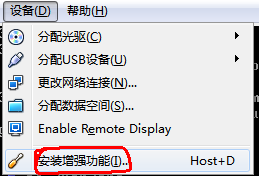
1.安装VirtualBox 增强功能1.1 VirtualBox OS界面:“设备” -> "安装增强功能" :
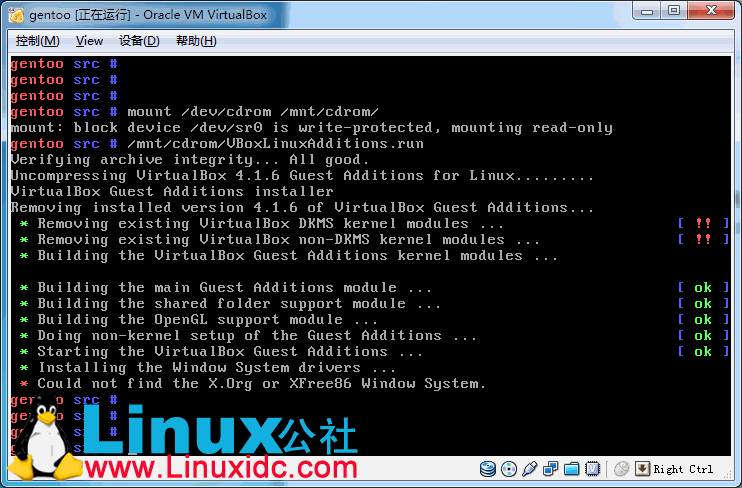
1.2 在Gentoo Linux 中安装增强功能:
- # mkdir /mnt/cdrom
- # mount /dev/cdrom /mnt/cdrom
- # /mnt/cdrom/VBoxLinuxAdditions.run
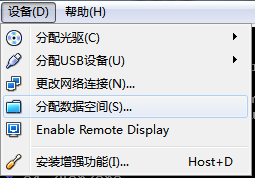
2.1 VirtualBox OS界面:“设备” -> "分配数据空间"
选择数据空间
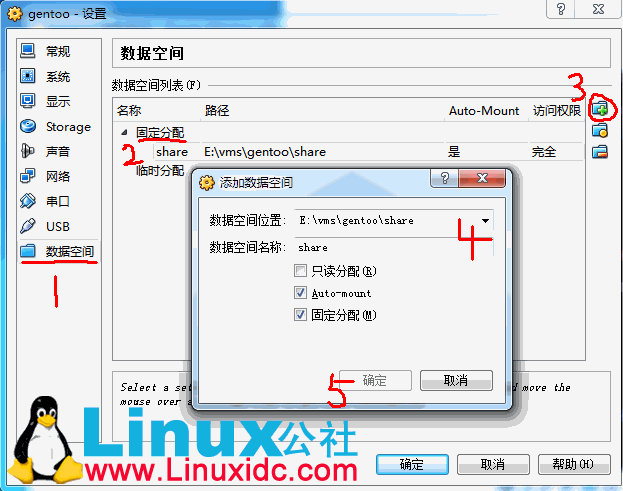
2.2 挂载共享目录:
- #mkdir /mnt/share
- #mount -t vboxsf share /mnt/share