对于不太习惯于 dash 同学来说,可以在Ubuntu 13.10安装经典的 Gnome 2 桌面菜单。
安装命令:
sudo add-apt-repository ppa:diesch/testing
sudo apt-get update
sudo apt-get install classicmenu-indicator
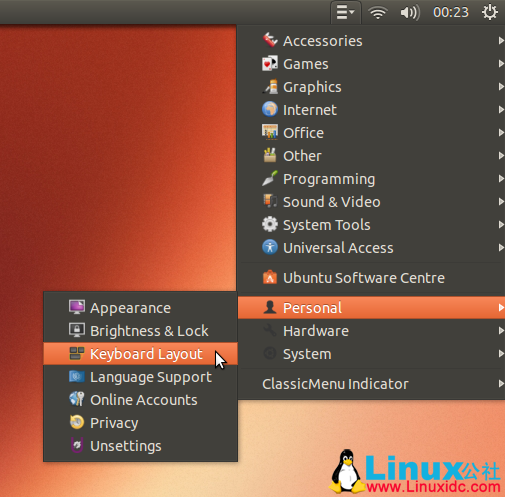
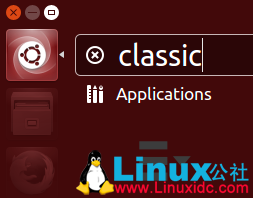
安装之后可以从 Dash 找到:
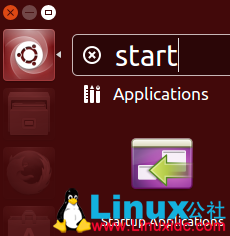
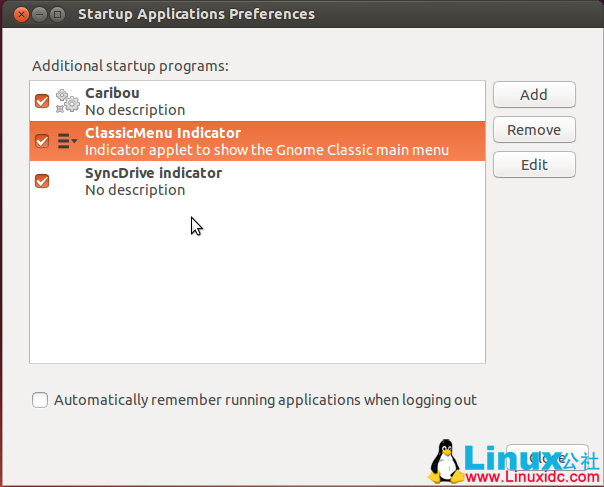
将经典菜单设置为随系统启动:
相关阅读:
Ubuntu 12.04 用户安装 ClassicMenu Indicator 菜单 http://www.linuxidc.com/Linux/2012-05/60494.htm
ClassicMenu Indicator升级-新的系统设置标签 http://www.linuxidc.com/Linux/2012-01/51123.htm
在Ubuntu 11.10 上安装类似 GNOME 2的菜单软件ClassicMenu Indicator http://www.linuxidc.com/Linux/2011-11/47315.htm
GNOME 2-like 菜单:ClassicMenu Indicator http://www.linuxidc.com/Linux/2011-11/47223.htm
ClassicMenu Indicator : 为 Unity 界面添加经典菜单 http://www.linuxidc.com/Linux/2011-06/37048.htm
更多Ubuntu相关信息见Ubuntu 专题页面 http://www.linuxidc.com/topicnews.aspx?tid=2
此文章由 http://www.ositren.com 收集整理 ,地址为: http://www.ositren.com/htmls/62515.html